 Studio
Monthly
One payment each month.
$12.99 /month
$12.99 billed every month.
Every Studio feature.
Mac · US prices
Tissyo Studio · for Mac and Windows
The zoom follows your clicks, and every click becomes a step in the guide. For a class, a training session or your app demo.
Mac: 14-day free trial, then $12.99/month or $89.99/year, nothing charged during the trial. Windows: 7-day free trial, then a subscription (prices shown in the Microsoft Store).
On Mac: Apple silicon and macOS 15 or later.
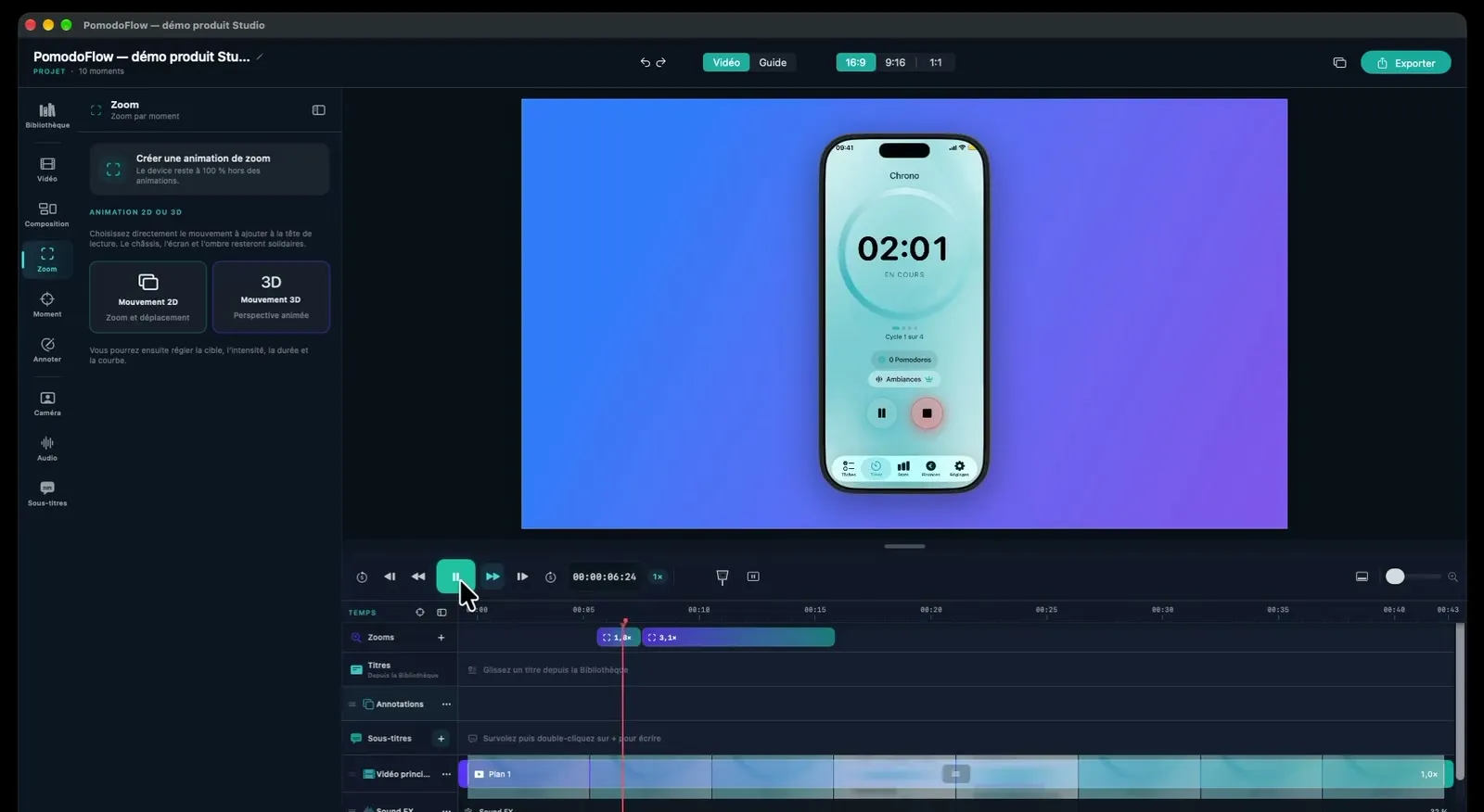
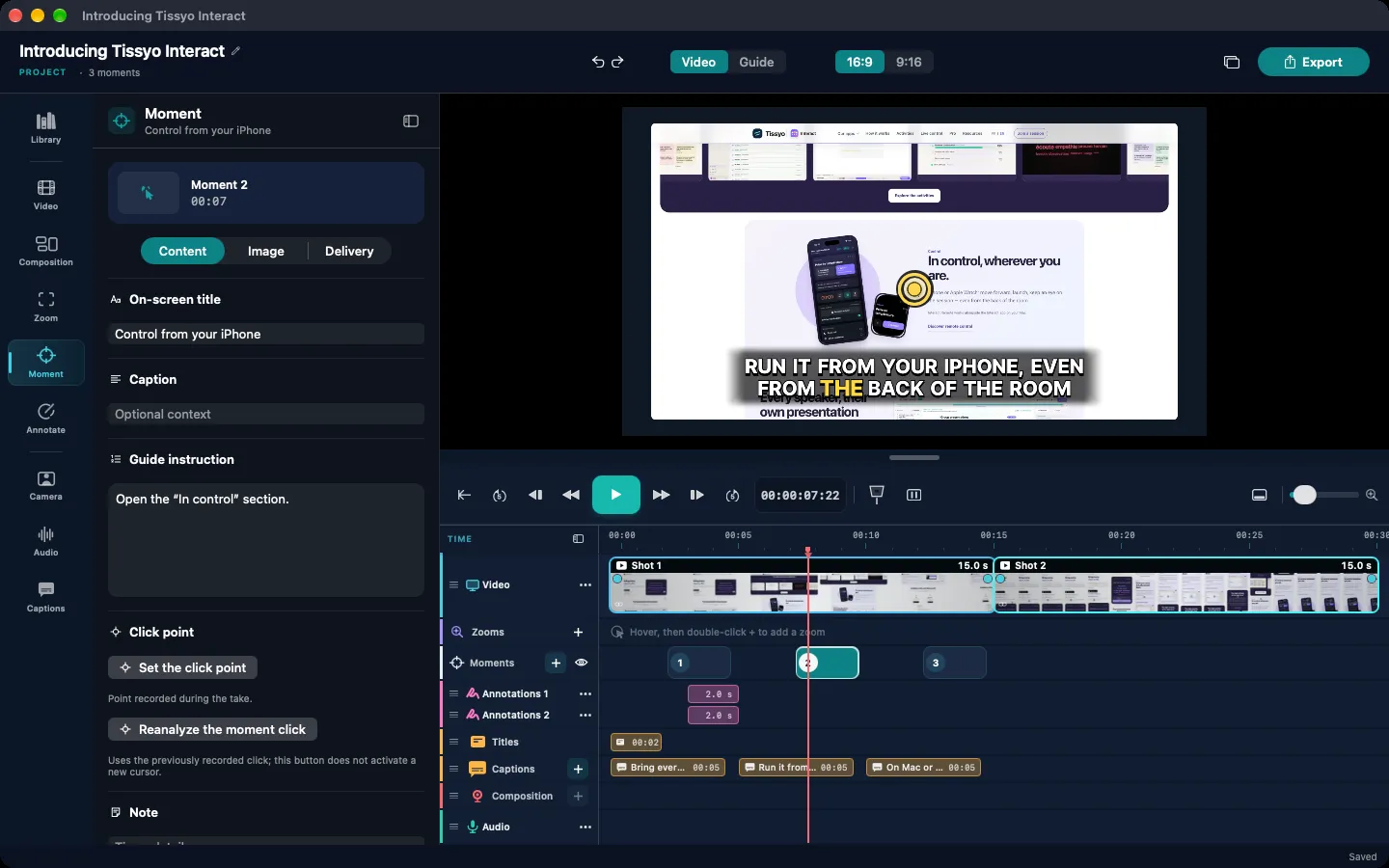
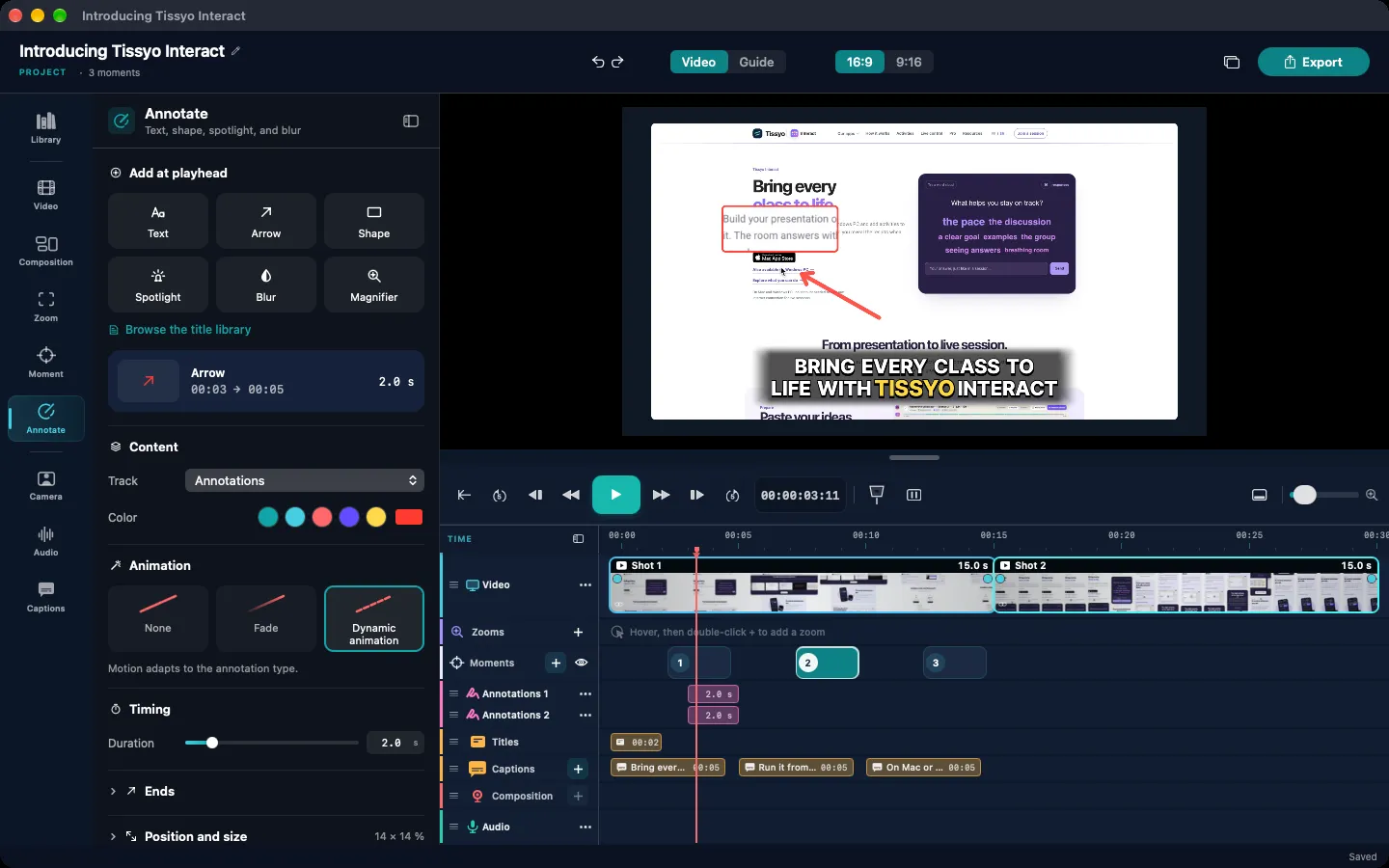
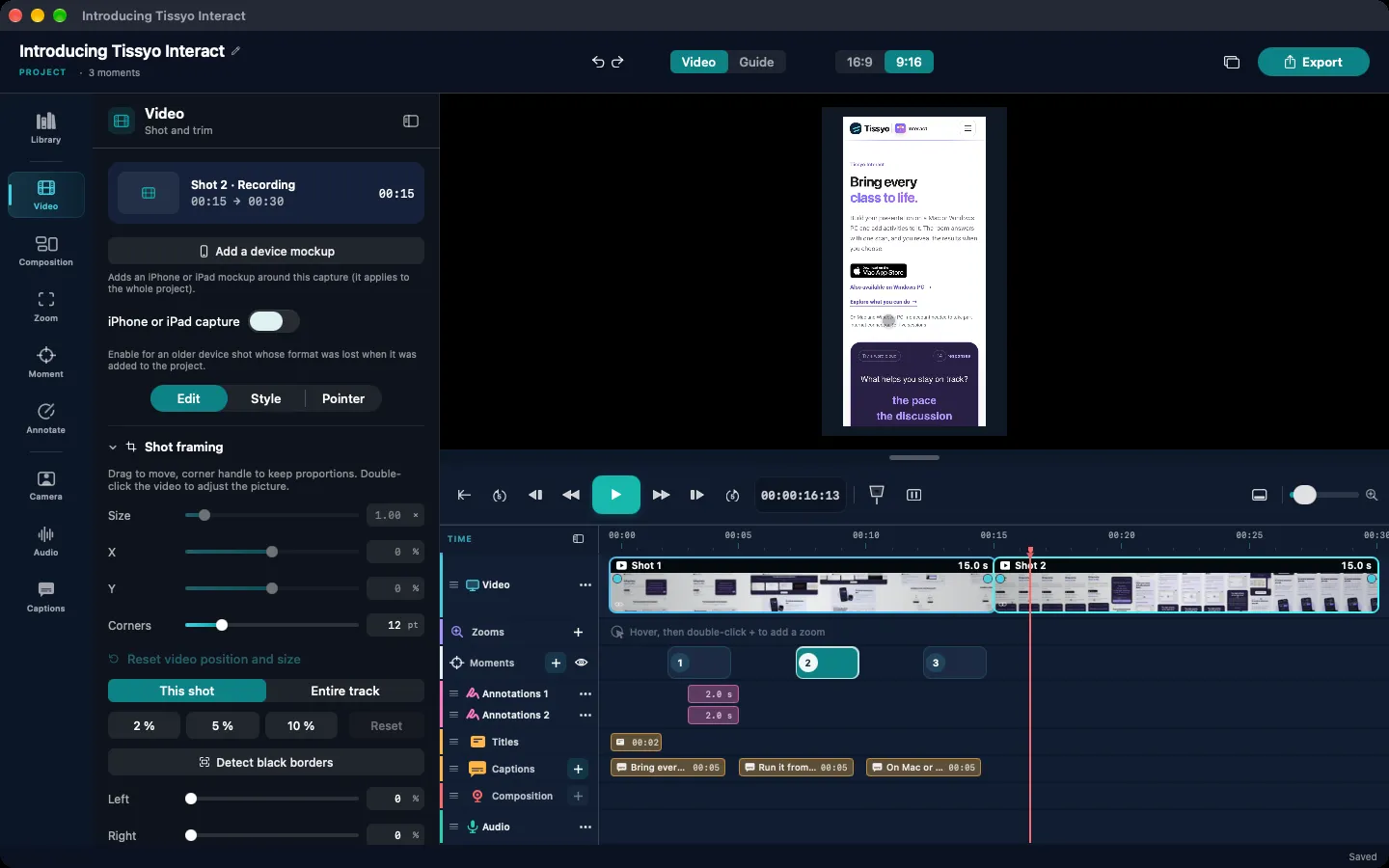
MP4 video · Animated GIF · PDF or Word guide · PNG images
Leah9:10
Can you show me again where to export?
Karim9:10
Same here, I already forgot.
Ines9:11
Is there a guide somewhere?
Mark9:11
Can I print your video?
You9:12
It’s all here.
Export a report · 1 min 40 videoExport a report · PDF guide, 6 steps
Mark9:14
Printed. Six steps, I got there on my own.
The pace of your video
Refine titles, annotations, captions and tracks on the timeline, all in one place.
ZoomsReframe or remove them in one move.
TimelineFine-tune the pace and the details.
Captions
Written from your voice. Fix a word, pick one of 7 styles: they are ready.
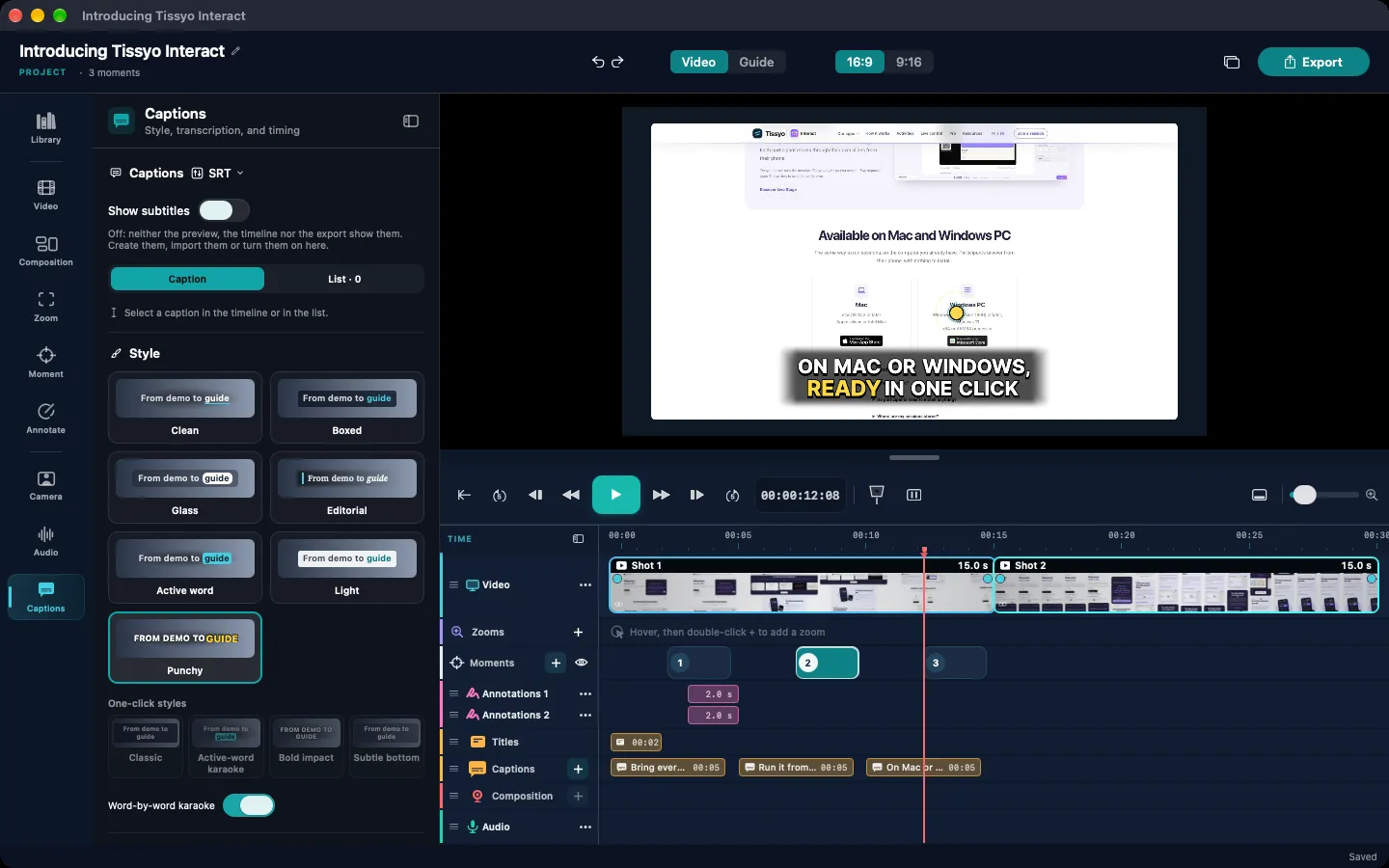
Formats and layout
The same video switches from 16:9 to 9:16. The webcam moves when you decide.
New · 3D mockups · Mac only
Show your app in 3D iPhone and iPad mockups, in Apple’s official colours. Colour, angle and tilt are set in a single panel. To change angle mid-video, drop a marker on the timeline.
Presentation and step-by-step guide
Drop the annotation on the capture, right where to look.
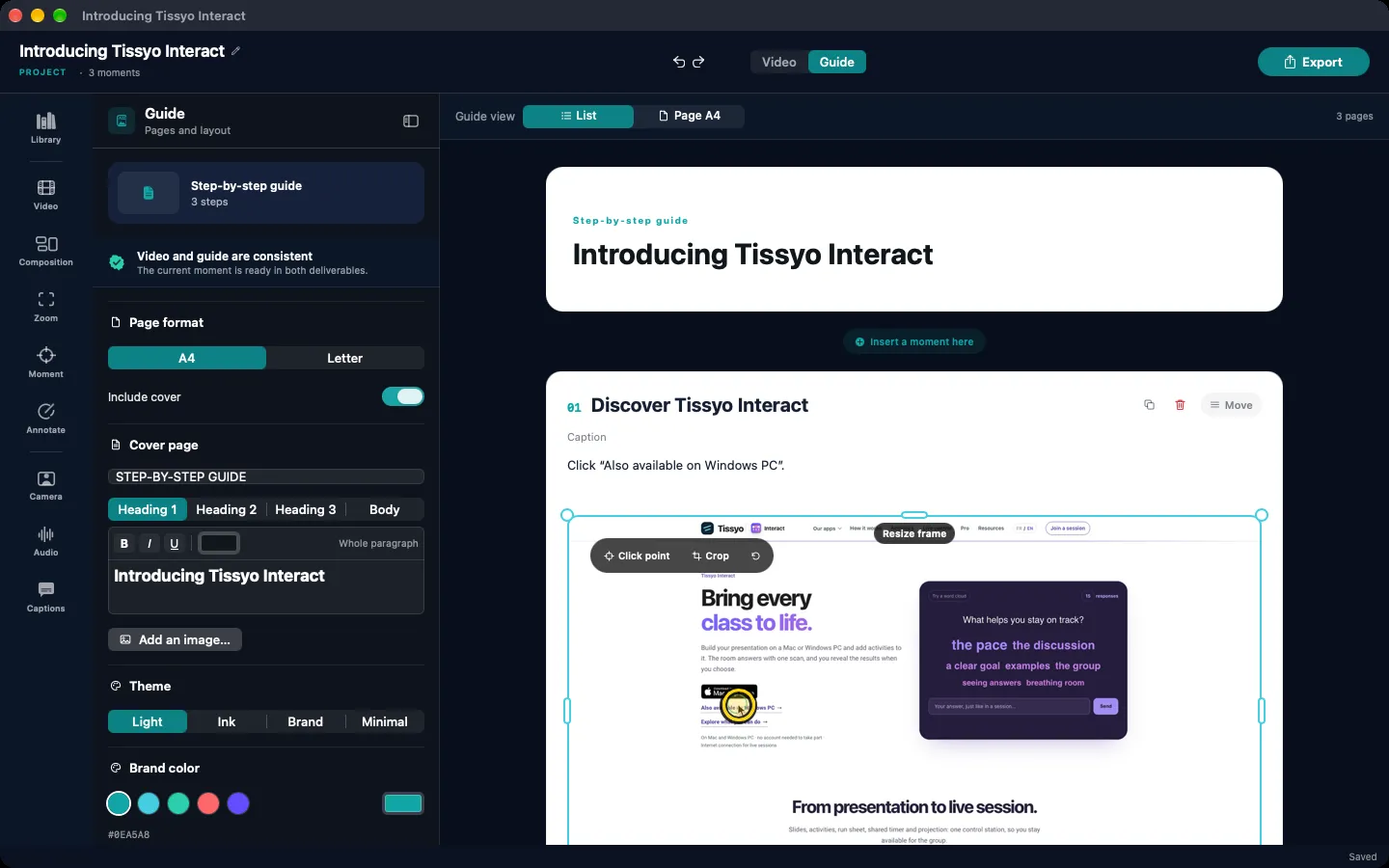
Titles, instructions, notes, images: everything is edited in the guide editor, before export.
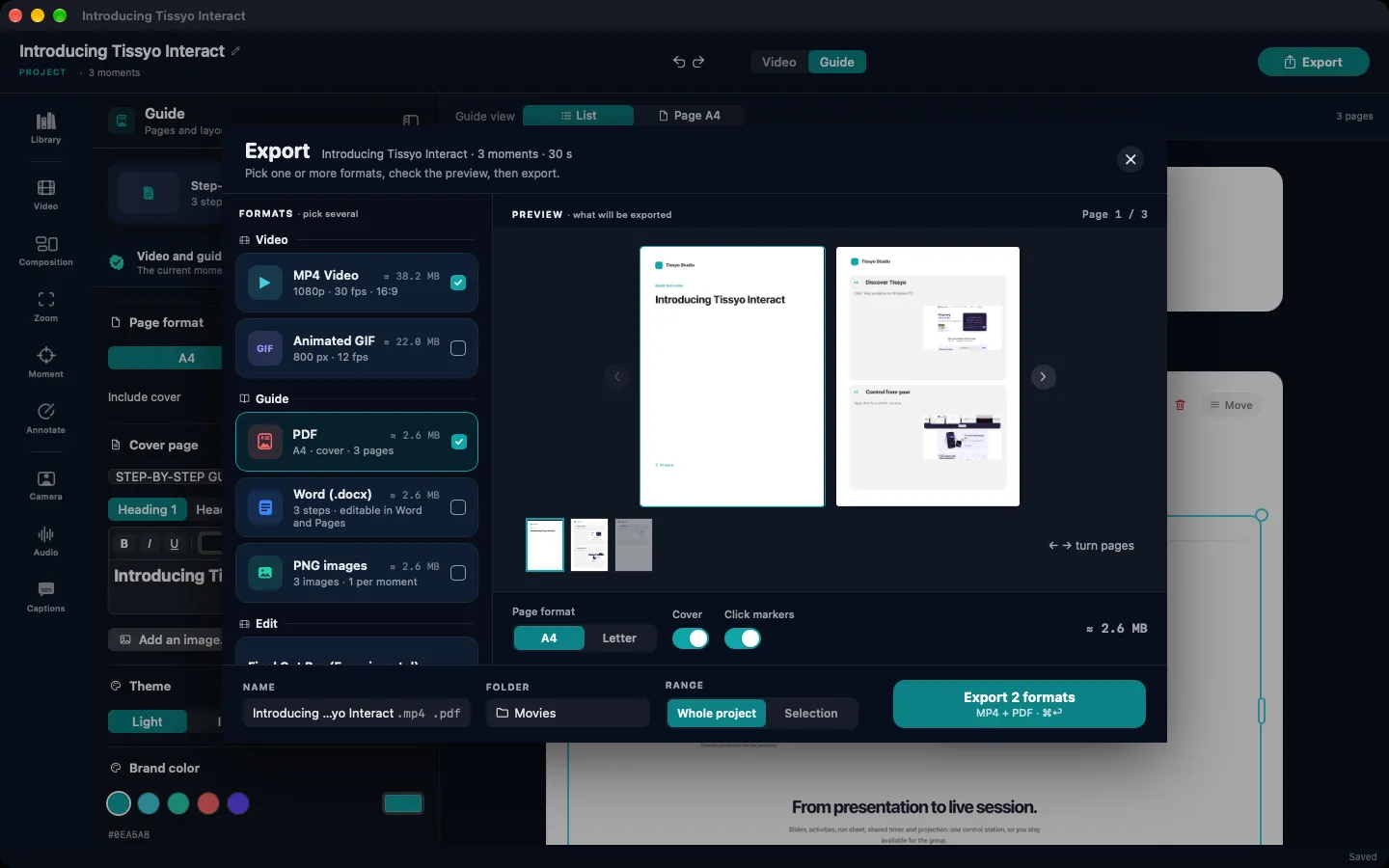
Export formats
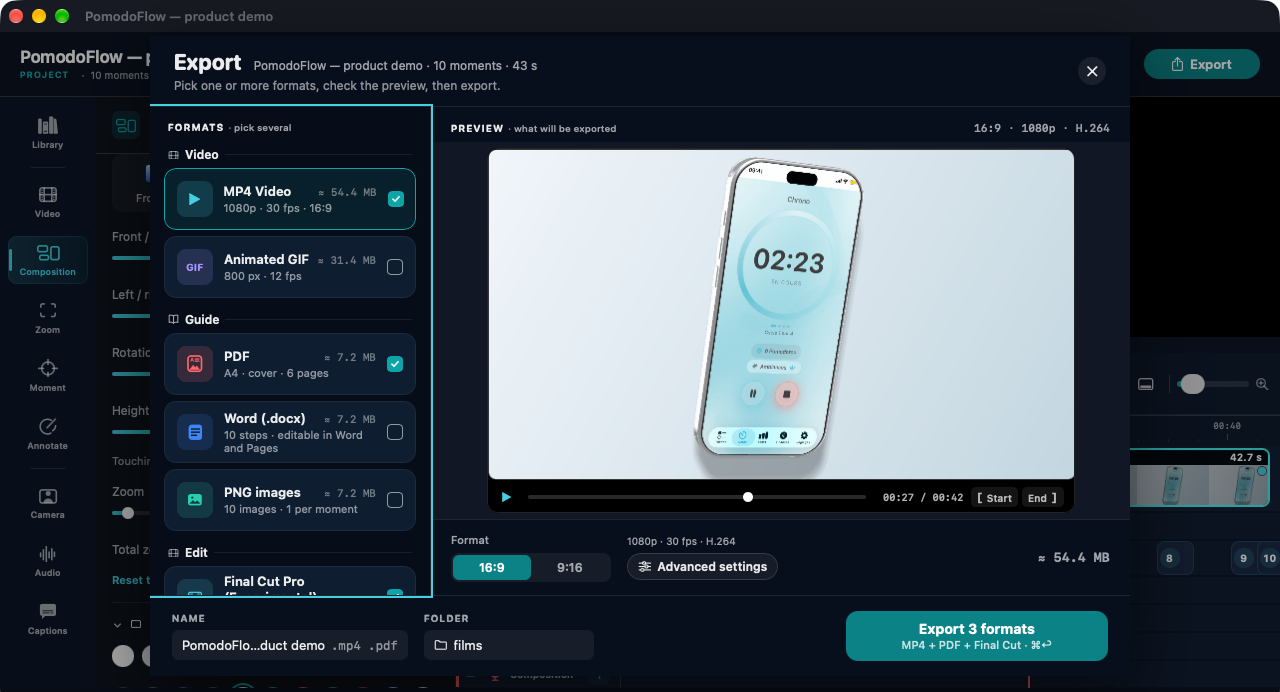
Full HD video in 16:9 or 9:16, a GIF sequence, a guide in PDF or Word, PNG images. Tick the formats, export in one click.
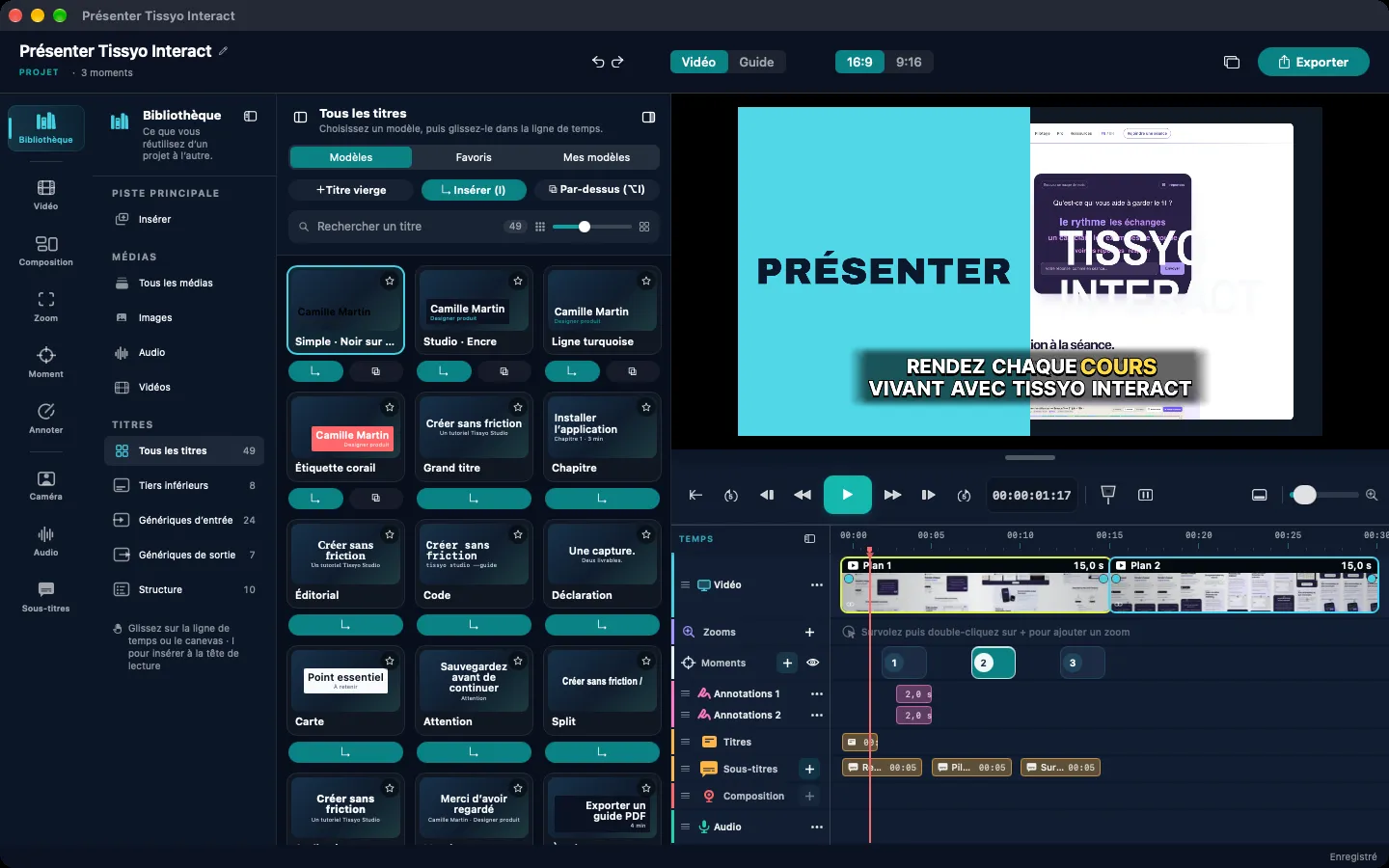
Animated titles
Lower thirds, intros, outros, structure titles: pick a template, change the text, and it is in place.
Experimental · Mac only
Keep your look and finish in Final Cut Pro or DaVinci Resolve.
You can always open and export your projects.
The free trial lasts 14 days on Mac and 7 days on Windows. After the trial, your selected subscription starts unless cancelled under the terms shown in the App Store or Microsoft Store. Mac prices in the United States are $12.99/month or $89.99/year.
MP4 video, animated GIF, PDF or Word guide, PNG images, and Final Cut Pro or DaVinci Resolve editing projects (experimental exports).
They are generated from your voice; the available languages depend on your computer and its system.
Yes, on Mac, as an experimental feature. To Final Cut Pro: editable titles, annotations, camera bubble, background, zooms and captions as an SRT file. To DaVinci Resolve: titles and annotations.
Every feature during the free trial, then a monthly or annual subscription. Even without a subscription, you can open and export your projects. Mac prices in the United States:
One payment each month.
$12.99 billed every month.
Every Studio feature.
Mac · US prices
About $7.50/month.
$89.99 billed once, every year.
$65.89 saved over 12 months.
Mac · US prices
Free trial: 14 days on Mac, 7 days on Windows. Studio for Windows runs on Windows 10 (version 2004 or later) and Windows 11, 64-bit.
| Features | Mac | Windows |
|---|---|---|
| Recording | ||
| Screen, window or region | ✓ | ✓ |
| Microphone and webcam | ✓ | ✓ |
| Computer audio (PC: Windows 11) | ✓ | ✓ |
| Connected iPhone or iPad | ✓ | — |
| Editing | ||
| Multitrack timeline | ✓ | ✓ |
| Automatic zooms and manual adjustments | ✓ | ✓ |
| Annotations and titles | ✓ | ✓ |
| Voiceover | ✓ | ✓ |
| Music | ✓ | ✓ |
| Captions generated from the voice | ✓ | ✓ |
| Caption translation* | ✓ | — |
| Person cutout | ✓ | — |
| 3D iPhone and iPad mockups | ✓ | — |
| Video and guide | ||
| Step-by-step guide synced with the video | ✓ | ✓ |
| Editable guide titles, instructions, notes and images | ✓ | ✓ |
| Automatic guide summary* | ✓ | — |
| Keyframes and shot angles (Front, Three-quarter, Resting, Floating) | ✓ | — |
| Export | ||
| MP4 video and animated GIF | ✓ | ✓ |
| PDF or Word guide, PNG images | ✓ | ✓ |
| DaVinci Resolve: FCPXML editing project (experimental) | ✓ | ✓ |
| Final Cut Pro: titles, annotations, camera and background (experimental) | ✓ | — |
* With Apple Intelligence (macOS 26 on a compatible Mac). Savings rounded against 12 monthly payments of $12.99 ($155.88). The monthly equivalent of the annual plan is not a monthly charge. Applicable prices are shown in the App Store.
Record the task once. You leave with the video, zoomed on your clicks, and the step-by-step guide ready to send.
Step by step: the complete method for a video tutorial and its guide →
Mac: 14-day free trial, then $12.99/month or $89.99/year, nothing charged during the trial. Windows: 7-day free trial, then a subscription (prices shown in the Microsoft Store).
On Mac: Apple silicon and macOS 15 or later.
Cookies and privacy
We respect your privacy.
We use cookies that are necessary for the site to work. With your consent, we also use audience measurement and advertising cookies. You can accept or reject these optional cookies at any time.
TissyoBot
Tissyo StudioBefore you start
The chat sends your question, the page you are viewing and the technical data required by Tissyo Support. Your email is requested only to notify you of a reply.
How your data is usedSearch Tissyo
Products, guides and help pages.
Press Enter to search · Esc to close