Create videos, tutorials and product demos from your screen. Studio prepares polished zooms on the first pass and brings your apps to life with 3D motion. You save time and show your products at their best.
Record the task, polish the explanation, choose your format.
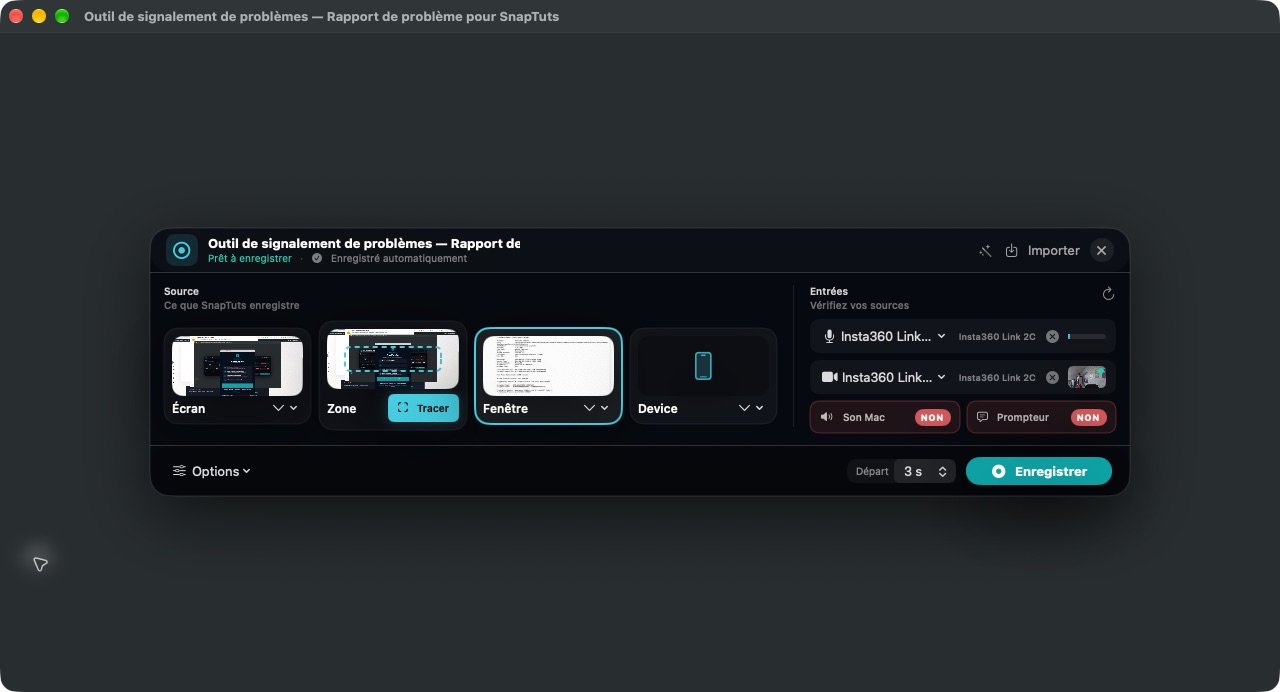
Show how you do it.
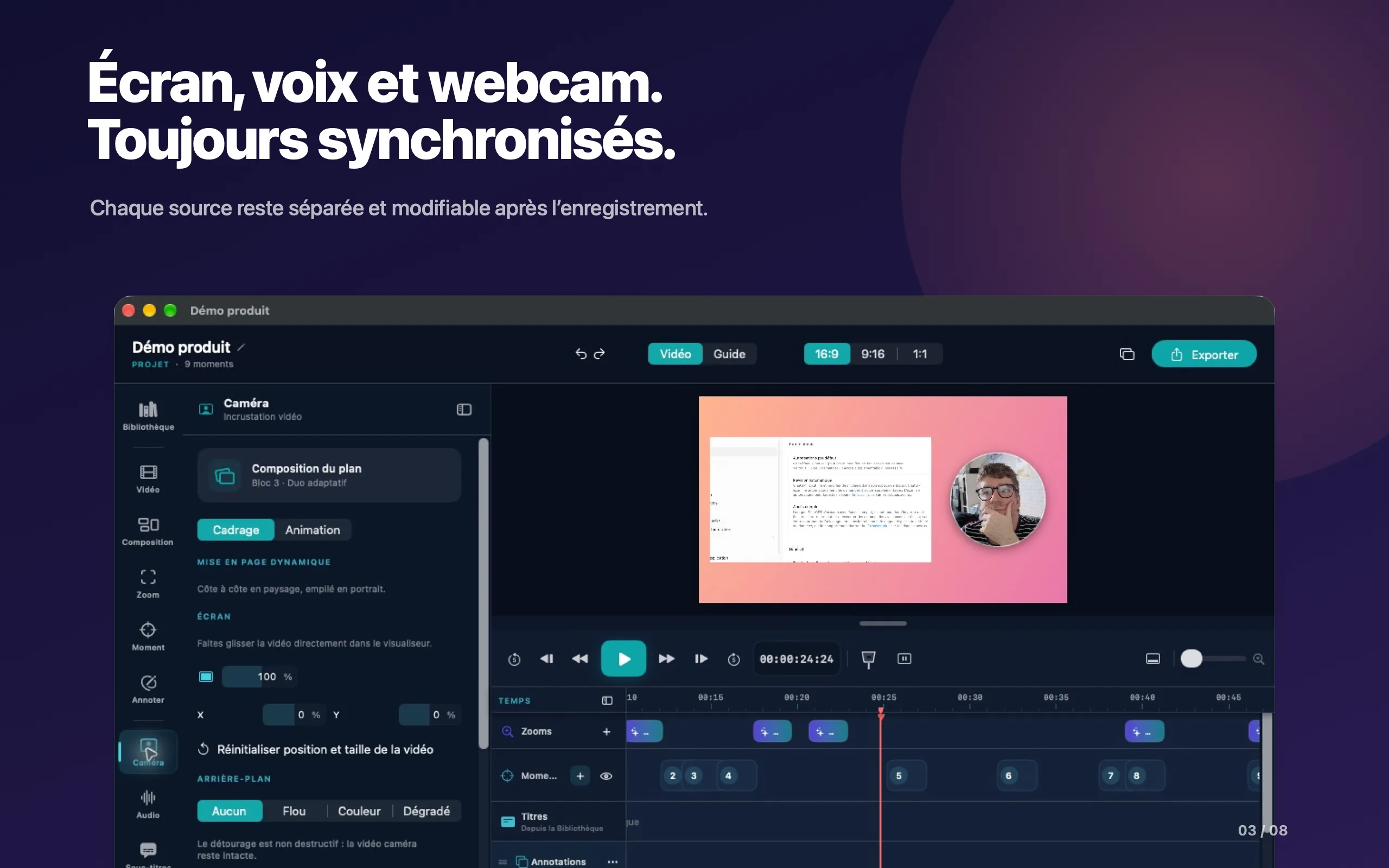
Choose a screen, a window or a region. Add your voice and your webcam to walk viewers through the demonstration.
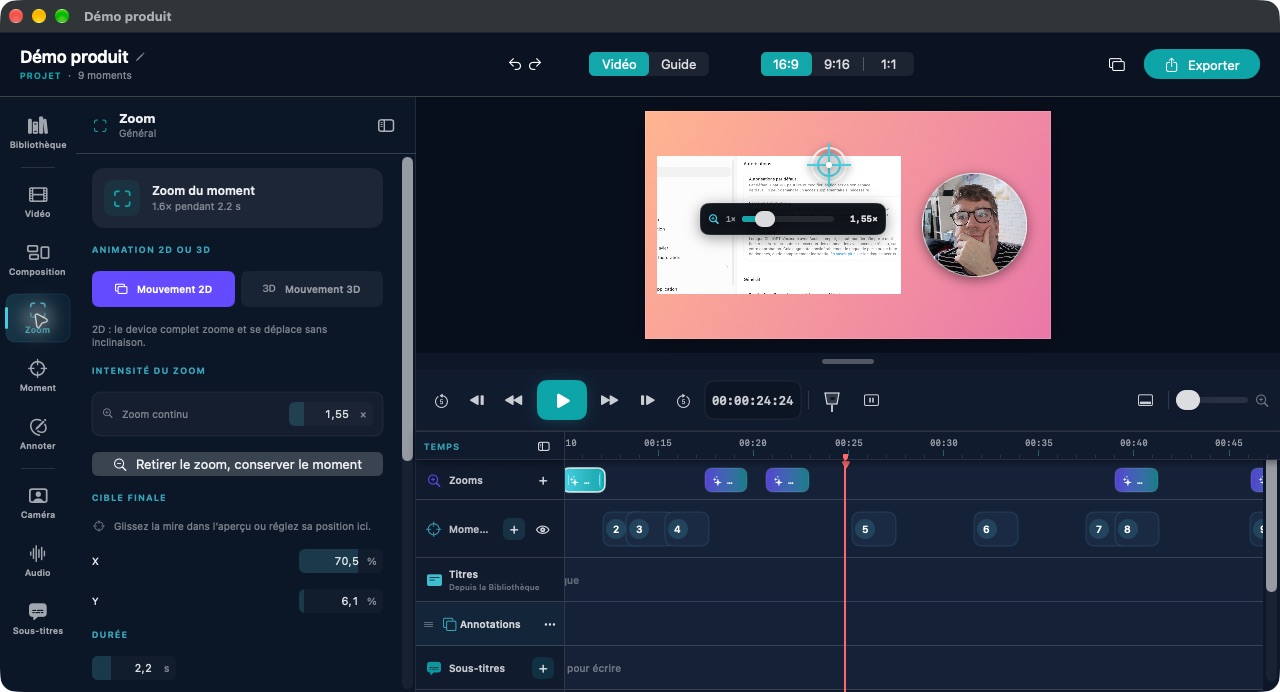
Guide the eye.
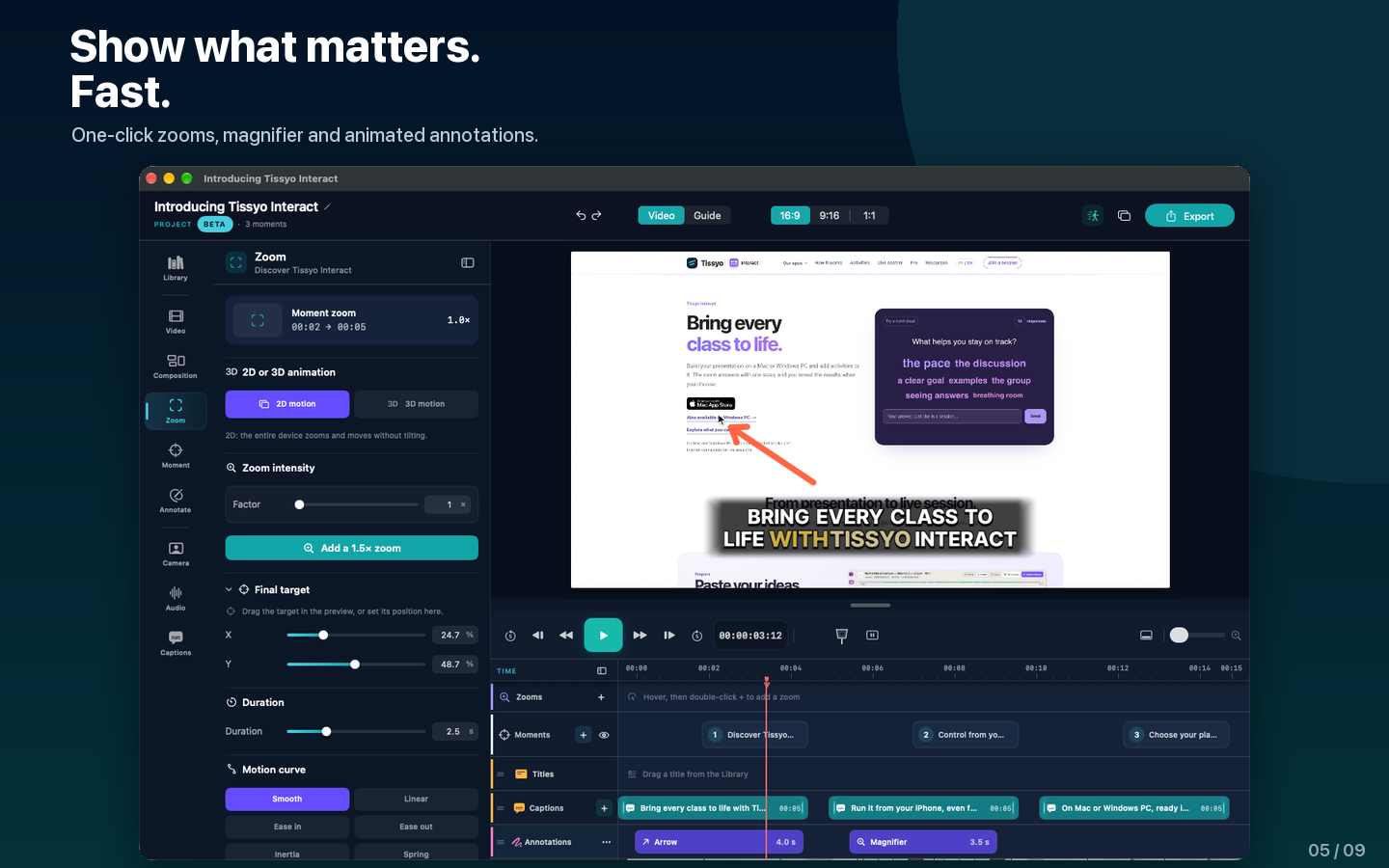
Adjust zooms, annotations and staging.
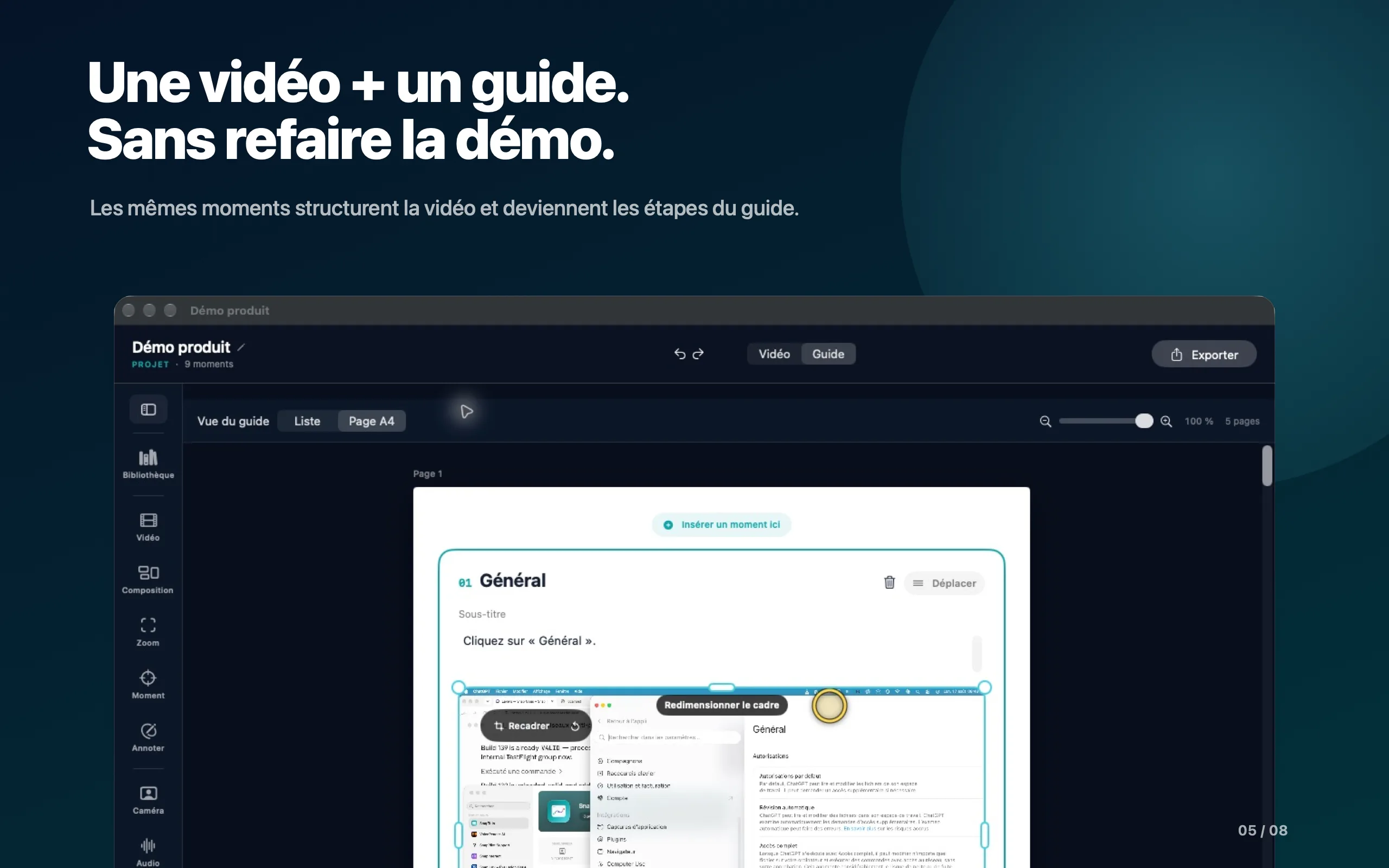
The video. And the guide that goes with it.
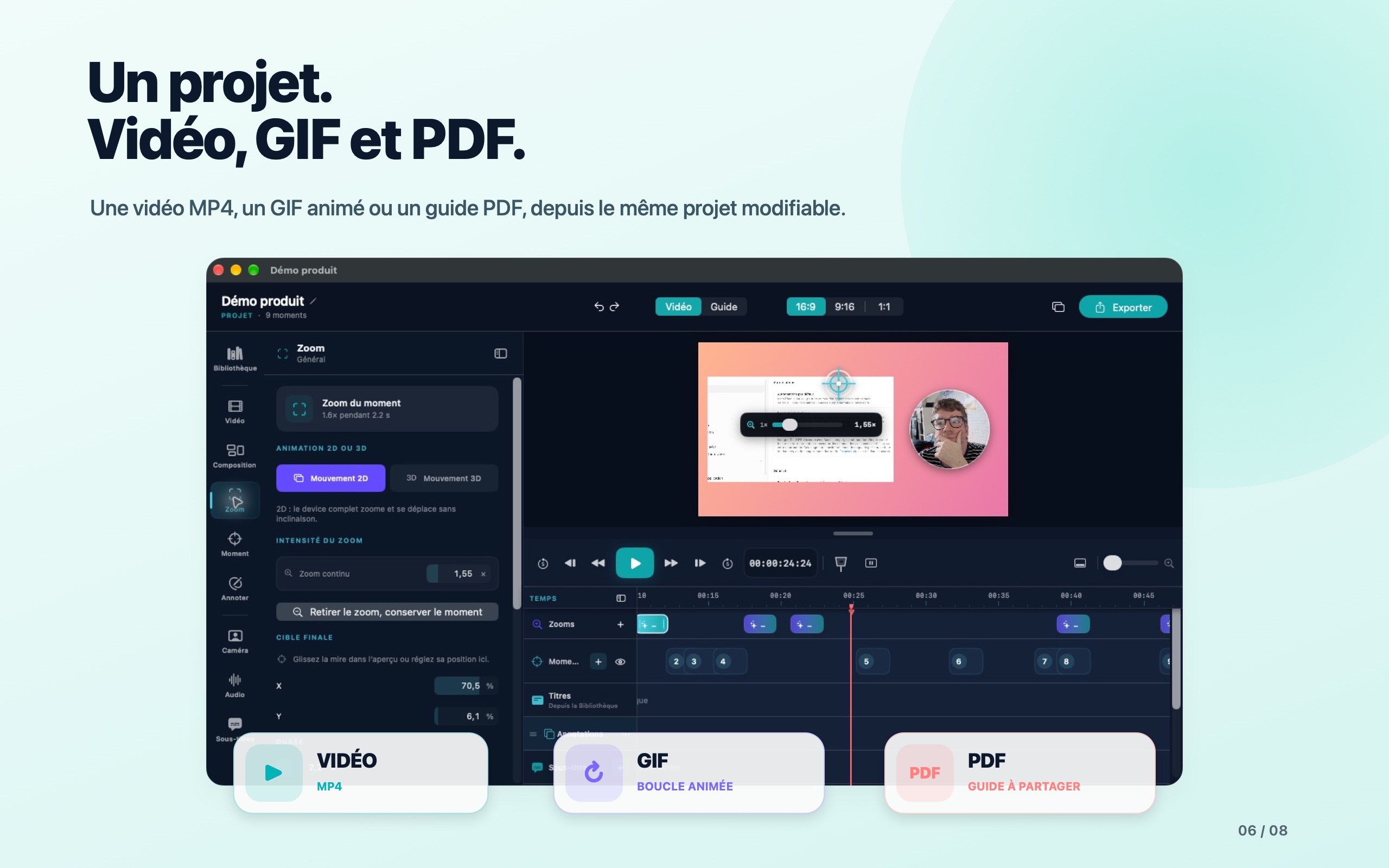
The same moments become the steps of your guide. Export the format that suits your audience.MP4 video · Animated GIF · PDF or Word guide · PNG images
The pace of your video
Say goodbye to repetitive clicks. Stay in control.
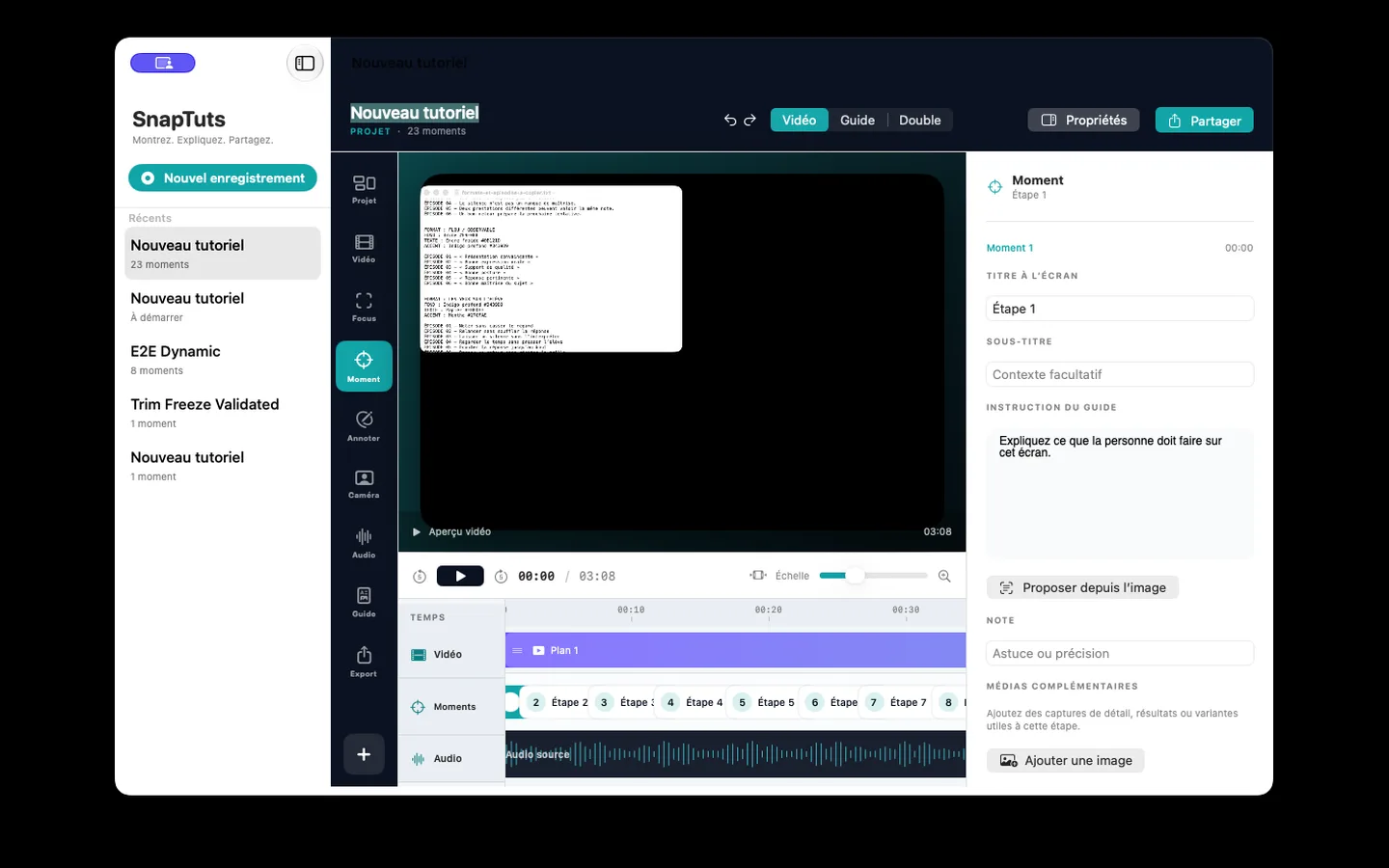
Refine titles, annotations, captions and tracks on the timeline, all in one place.
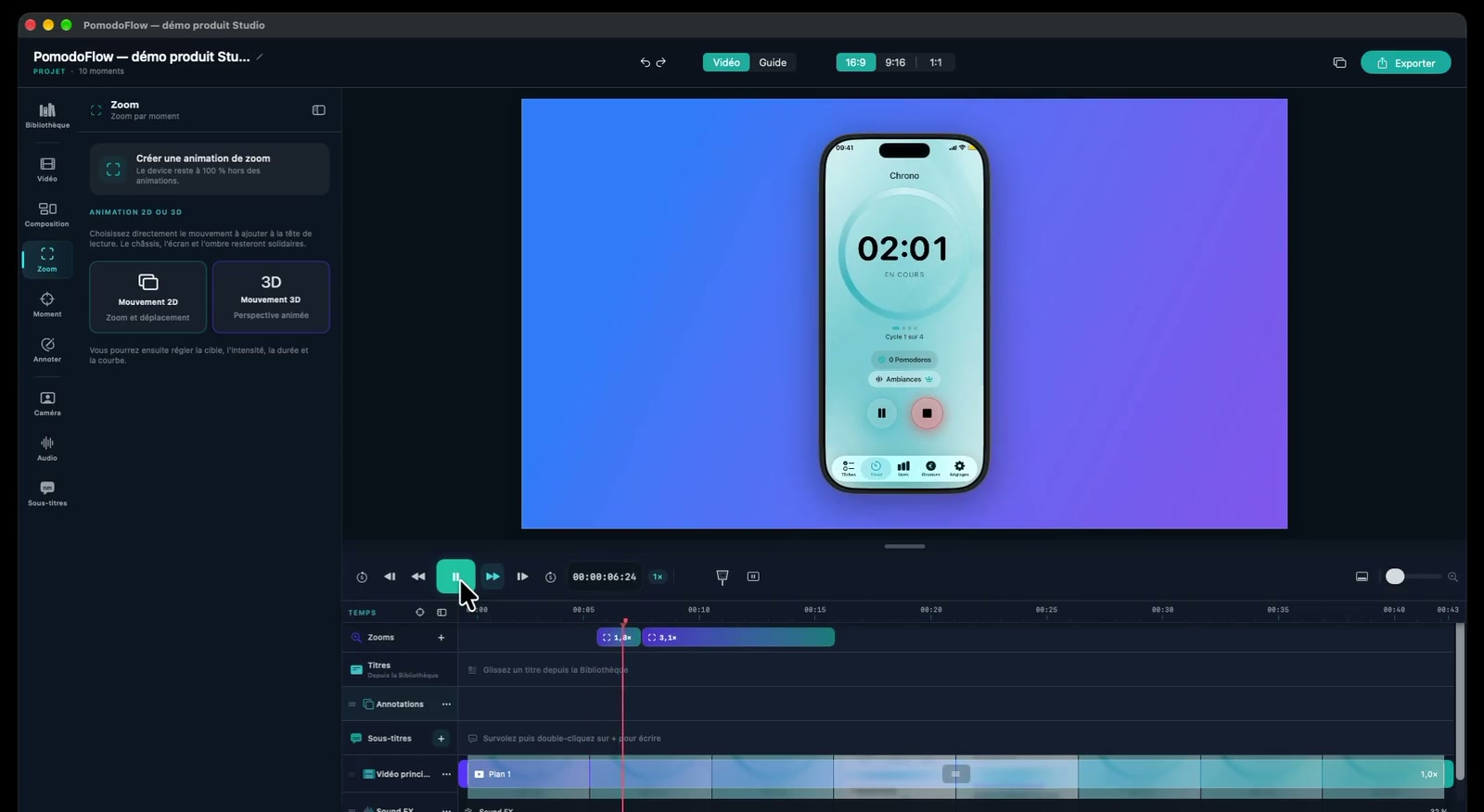
ZoomsReframe or remove them in one move.
TimelineFine-tune the pace and the details.
Product demos and guided tours
Your products at their best.
Present your app, guide a first look or create a tutorial. Studio prepares polished zooms on the first pass; you can then refine them on the timeline. 3D motion adds depth to your capture so your product looks its best. Here, PomodoFlow comes to life in the Tissyo Studio editor.
New · 3D mockups
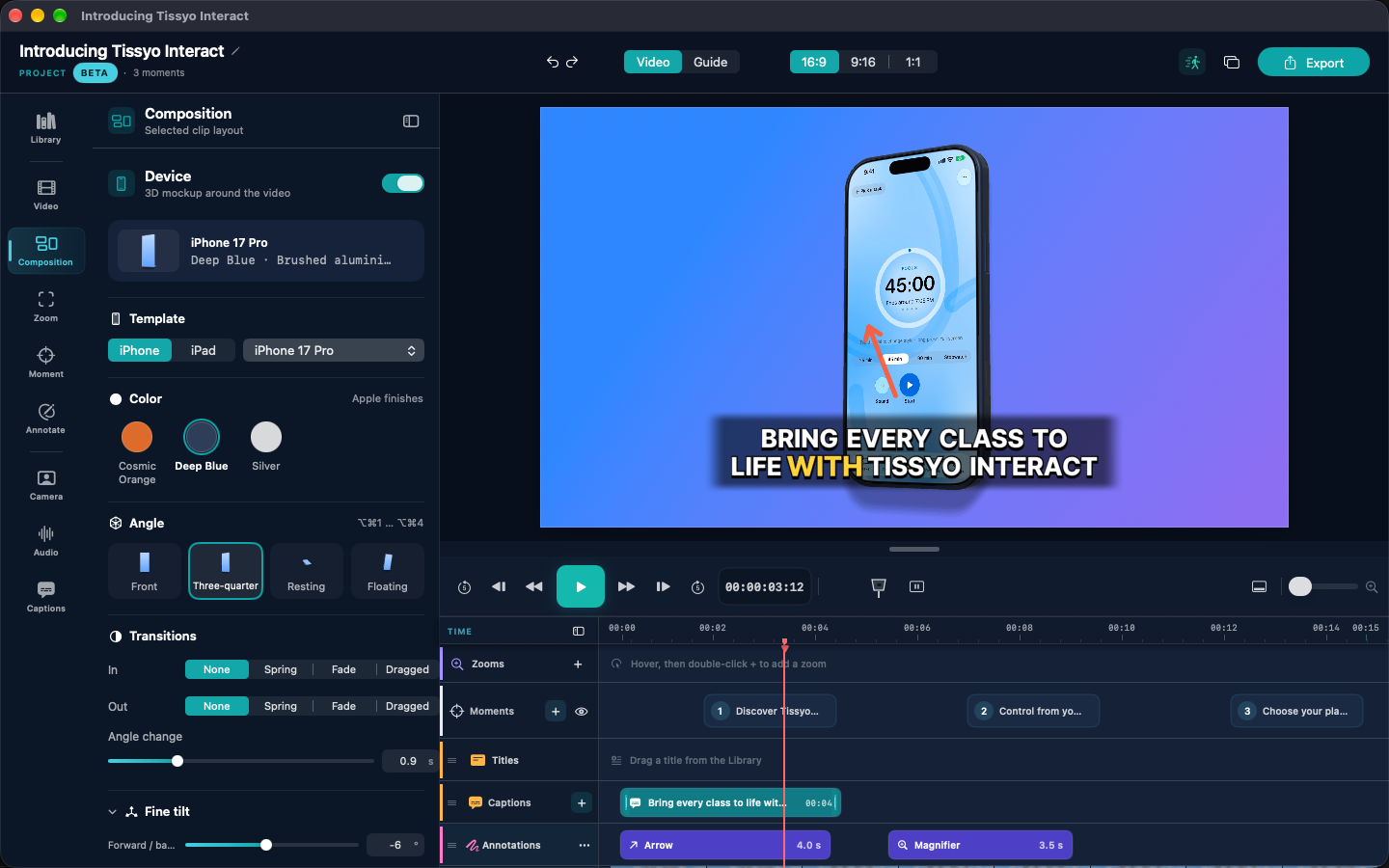
Your app demos, in true depth.
Show your app in 3D iPhone and iPad mockups, in Apple’s official colours.
4 preset angles to frame in one click
Optional 360° turn
Redesigned Device panel to set everything in one place
Presentation and step-by-step guide
Polish the scene. Make every step clear.
Your screen. Your voice. Your presence.
Adjust the tracks, reframe the webcam and rework the composition after recording. Keep attention on your explanation.
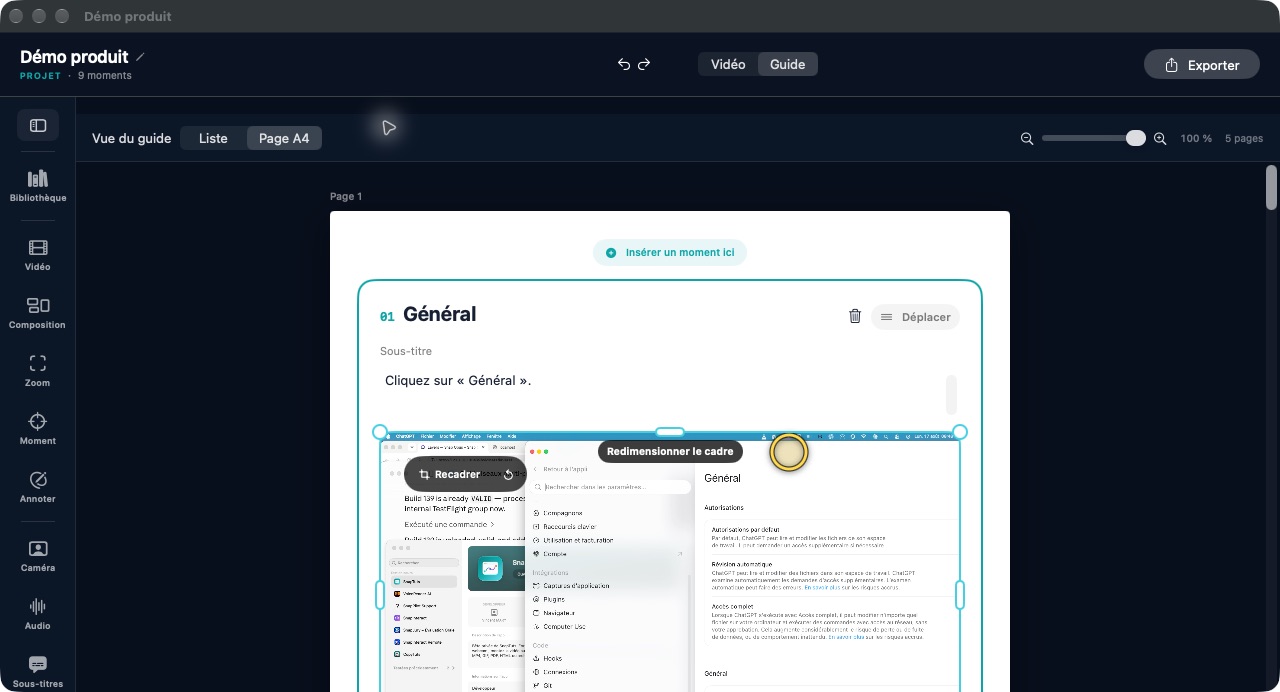
A guide that carries the explanation further.
Turn the useful moments into steps your audience can follow. Edit titles, instructions, notes and images in the guide editor.
Ready for your audience
The format that serves your explanation.
Share your video as MP4 up to 4K at 60 fps, a sequence as a GIF, a guide as PDF or Word, or PNG images. Several formats in one click.
MP4GIFPDFWordPNG
Your projects stay on your Mac.
Your recordings and projects are kept on your Mac. You choose what you share, and with whom.
Try Studio free for 14 days, everything included.
A 14-day free trial with every feature, then a monthly or yearly subscription. Your exports stay available after the trial.
Monthly
One payment each month.
$12.99 /month
$12.99 billed every month. Every Studio feature.
Available on Mac
Annual
Save 42%
$89.99 /year
About $7.50/month. $89.99 billed once, every year.
$65.89 saved over 12 months.
Available on Mac
Everything included
Everything is included during the trial and with a subscription.
Features
Monthly
Annual
Recording
Screen, window or region
✓
✓
Microphone, Mac audio and webcam
✓
✓
Separate sources, editable after capture
✓
✓
Editing and staging
Multitrack timeline
✓
✓
Automatic zooms and manual adjustments
✓
✓
Annotations, titles, backgrounds and layouts
✓
✓
Caption generation and styling
✓
✓
Video and guide, in the same project
Key moments and guide steps kept in sync
✓
✓
Editable titles, instructions, notes and images
✓
✓
Export and projects
MP4 video, PDF or Word guide, PNG images
✓
✓
Animated GIF
✓
✓
Exports up to 4K at 60 fps
✓
✓
Recordings and projects kept on your Mac
✓
✓
Savings rounded against 12 monthly payments of €14.99 (€179.88). The monthly equivalent of the annual plan is not a monthly charge. Applicable prices are shown in the App Store.
Your next demo deserves a great presentation.
Turn your screen capture into a clear, well-paced video to present a product, explain a task or guide your audience.
Tissyo is the trading name of Vincent MARY, sole trader · SIRET 503 420 325 00030
Cookies and privacy
We respect your privacy.
We use cookies that are necessary for the site to work. With your consent, we also use audience measurement and advertising cookies. You can accept or reject these optional cookies at any time.
The chat sends your question, the page you are viewing and the technical data required by Tissyo Support. Your email is requested only to notify you of a reply.
 Studio