 Voice
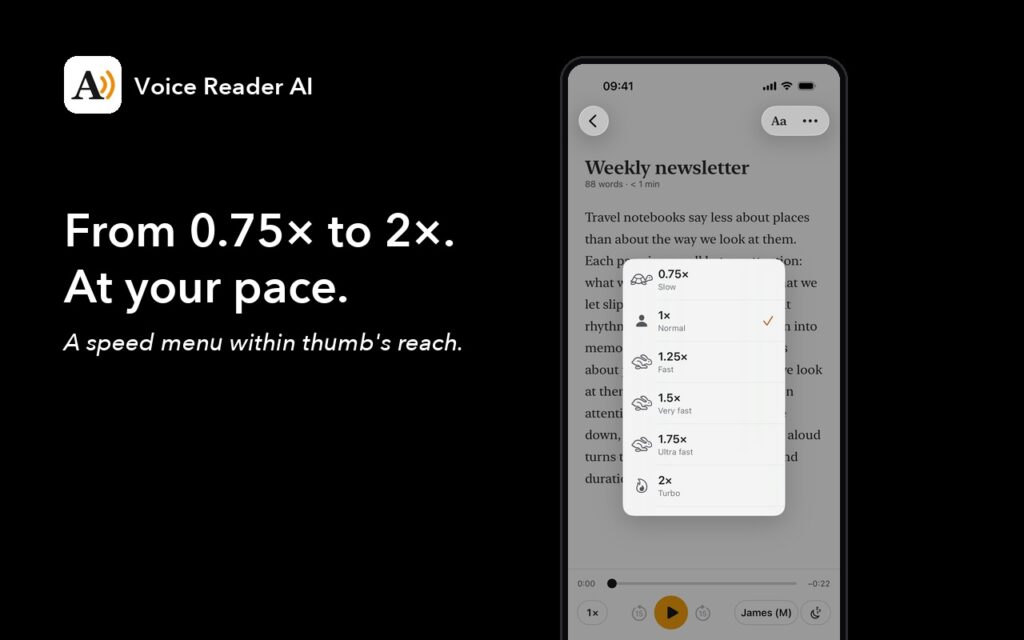
In short: text to speech turns emails, reports and articles into audio you can follow while commuting, exercising or doing chores. With Voice Reader AI by Tissyo on iPhone, iPad and Mac, you can speed playback up to 2x and follow the highlighted text as it is read.
Most professionals and students deal with a growing volume of written content every day: emails, reports, articles, meeting notes, and documentation. Reading through all of it takes time — time that could be spent on higher-value tasks. Text to speech (TTS) technology offers a practical solution by converting written content into audio, letting you listen instead of read.
This simple shift — from reading to listening — unlocks time that would otherwise be lost and lets you process information in situations where reading is not possible.
Listen While You Do Other Things
The most immediate productivity benefit of TTS is multitasking. Reading requires your eyes and your full attention on a screen. Listening does not. With a TTS app on your phone, you can absorb written content during activities that would otherwise be unproductive:
- Commuting — Listen to work emails, industry articles, or meeting briefs on your way to the office instead of scrolling through them later at your desk.
- Exercising — Turn your morning run or gym session into learning time by listening to reports, research papers, or professional development material.
- Household tasks — Cooking, cleaning, and errands become opportunities to catch up on your reading backlog.
- Walking between meetings — Use short transition periods to preview the next document or review notes from the last meeting.
Instead of reserving dedicated blocks of time to sit and read, you distribute that reading across your day in moments that were previously idle. The practical guide to using text to speech while commuting explains how to prepare a listening queue without handling the screen on the move.
Process Emails and Reports Faster
Long emails and detailed reports are often postponed because they require focused reading time. TTS changes this dynamic. You can paste or import a PDF into a TTS app and listen to it in the background while handling other tasks. This is especially useful for:
- Weekly status reports and project updates
- Industry newsletters and research summaries
- Internal documentation and policy changes
- Long email threads that need context before replying
Reduce Screen Fatigue
Hours of screen reading contribute to eye strain and mental fatigue — both of which reduce productivity over the course of a day. By shifting some of your reading to audio, you give your eyes a break while still processing information. This can help you stay sharper and more focused during tasks that do require screen time, such as writing, coding, or designing.
Review Your Own Writing
TTS is a surprisingly effective proofreading tool. When you read your own writing silently, your brain tends to fill in what it expects to see, skipping over errors. Hearing your text read back to you by a TTS voice makes awkward phrasing, missing words, and unclear sentences much easier to catch. Many writers and professionals use this technique before sending important emails, submitting proposals, or publishing content. Follow the step-by-step method for proofreading by listening.
Pick Up Where You Left Off
Productivity depends on friction. With Voice Reader AI by Tissyo, the library’s Resume button restarts playback where you stopped, so a flight or a subway ride does not break your queue. The guide to natural-sounding text to speech shows how to get started.
Frequently Asked Questions
How does text to speech save time?
Text to speech saves time by letting you listen to written content during activities that would otherwise be unproductive, such as commuting, exercising, or doing household tasks. Instead of sitting down to read a report or article, you can absorb the same information hands-free. Speed controls also let you increase playback rate to consume content faster than traditional reading.
Can I use text to speech to listen to work emails and reports?
Yes. With a TTS app like Voice Reader AI by Tissyo, you can paste or import text from emails, reports, PDFs, and other work documents. The app converts them into natural-sounding audio that you can listen to anywhere. This is particularly useful for processing long documents or catching up on a backlog of reading material.
What playback speed should I use for productivity?
It depends on the content and your familiarity with the topic. Many users start at 1x speed and gradually increase to 1.5x or 2x as they get comfortable. For familiar or straightforward content like email summaries, higher speeds work well. For complex or technical material, a slower pace helps with comprehension. Voice Reader AI by Tissyo lets you adjust the speed at any time.