 Voice
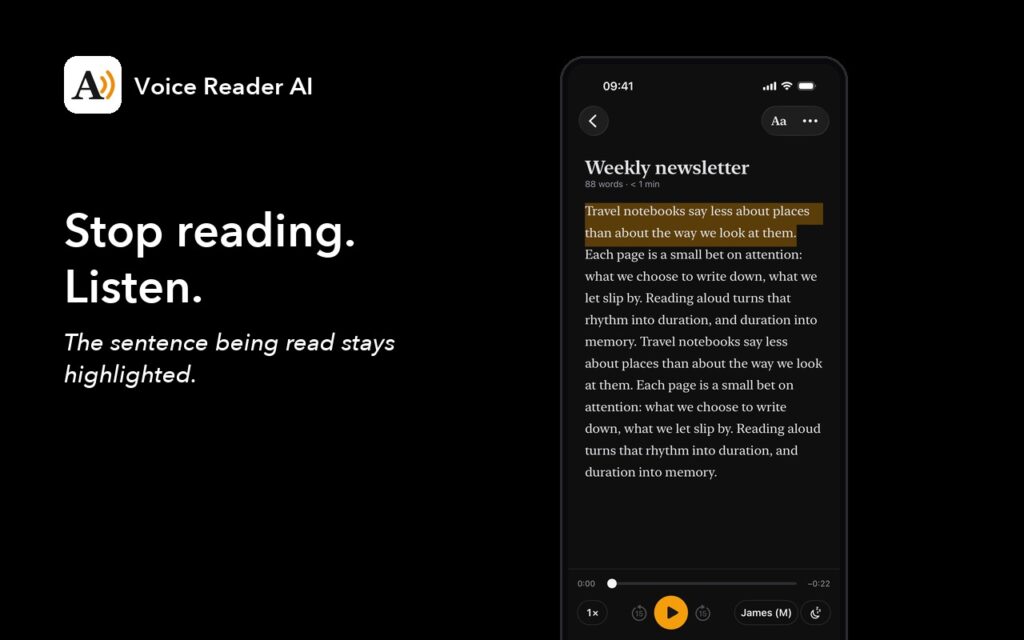
In short: import your articles, PDFs and notes into a text to speech app before you leave, then listen on the way. With Voice Reader AI by Tissyo, you can listen at up to 2x speed.
The average commuter spends around 30 to 60 minutes traveling to and from work each day. That adds up to hundreds of hours per year — time that is often spent scrolling through a phone or staring out the window. Text to speech (TTS) technology offers a practical way to turn commute time into productive time by converting articles, documents, and other text into audio you can listen to on the go.
Why TTS Works for Commuters
Commuting often involves situations where reading a screen is impractical or impossible. You may be driving, standing on a crowded train, walking to the office, or cycling. In all of these scenarios, your eyes and hands are occupied — but your ears are free.
TTS lets you consume text-based content in audio form, which means you can stay informed and productive without needing to look at a screen. Unlike podcasts or audiobooks, which have fixed catalogs, TTS works with any text you choose: news articles, work emails, PDFs, study notes, or personal documents.
What to Listen to During Your Commute
Morning: prepare for the day
Before arriving at work, use TTS to listen to emails, meeting agendas, or reports that came in overnight. This lets you start your workday already up to speed, rather than spending the first 30 minutes at your desk reading through your inbox. You can prioritize what needs attention and mentally prepare for meetings.
Industry news and articles
Save articles from the web during the day and listen to them during your commute. Whether it is industry news, technical articles, or general interest pieces, TTS turns your reading backlog into a listening queue. This is especially useful for people who save articles but never find time to read them.
Study materials and learning
Students and lifelong learners can use commute time for review. Import lecture notes, textbook chapters, or study guides into a TTS app and listen to them repeatedly. Repetition through audio reinforces memory and helps with retention, making commute time part of your study routine.
Personal documents
Correspondence, contracts, or long messages that require careful reading can be reviewed by ear. Listening to a document often reveals details or phrasing you might skim over when reading visually.
Why Resume Matters for Commuting
Connectivity is unreliable during many commutes. Subways and metro systems often have no cell service underground. Trains pass through areas with weak signal. Even driving through tunnels creates gaps in connectivity.
With the library’s Resume button, your content picks up exactly where you stopped: one tap, no searching for your place.
Speed Control for Different Content
Not all content requires the same listening speed. TTS apps with adjustable speed let you match the pace to the material:
- Casual news articles — A faster speed (1.25x to 1.5x) works well for straightforward content you want to get through quickly.
- Technical or dense material — Slow the speed down (0.75x to 1x) for content that requires more concentration, such as reports or study materials.
- Emails and messages — Normal speed (1x) is usually comfortable for everyday correspondence.
The ability to adjust speed on the fly lets you adapt as you switch between different types of content during a single commute session.
Making the Most of Your Commute
Here are some practical habits to build around commute listening:
- Save articles throughout the day — Use your TTS app’s web import feature or share extension to save articles as you find them.
- Batch your emails — Copy key emails to your TTS app and listen to them in one session rather than checking your phone repeatedly.
- Set a daily listening goal — Even 20 minutes of listening per commute adds up to over 150 hours per year of content consumption.
- Reduce screen fatigue — After a full day at a computer, listening instead of reading gives your eyes a rest during the trip home.
Frequently Asked Questions
Is text to speech practical in the subway or metro?
Yes. Import documents, articles and PDFs before you leave, then press Resume on the train; the speed menu (0.75x to 2x) lets you adapt to the length of your ride.
What content can I listen to during my commute?
With a TTS app, you can listen to virtually anything: news articles saved from the web, work emails and reports, PDFs and documents, study materials, and personal notes. You can prepare your listening queue before leaving home and have everything ready for your commute.
Can I adjust the reading speed for different types of content?
Yes. Voice Reader AI by Tissyo lets you set the reading speed, up to 2x. You might use a faster speed for casual news articles and a slower speed for technical documents or study materials. Adjusting speed helps you match the complexity of the content to the level of attention you can give it while commuting.