 Voice
Voice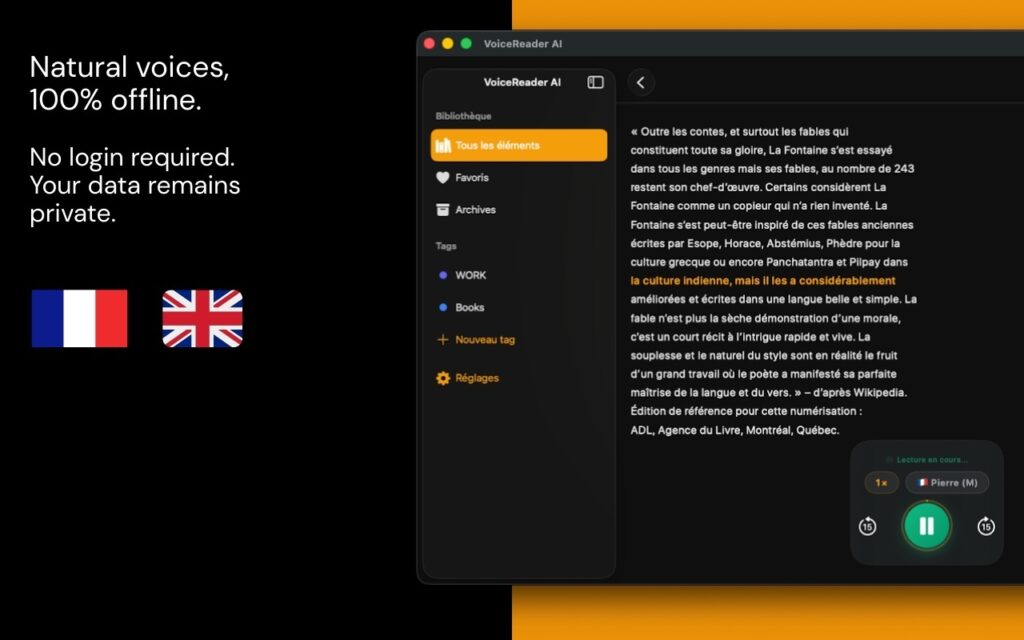
Do you have PDFs you’d love to listen to instead of read? Whether it’s a research paper, e-book, contract, or business document, converting PDFs to audio can transform how you consume information. Tissyo Voice makes it effortless to convert PDF to audio on your iPhone, iPad, and Mac — allowing you to listen to your files while multitasking, commuting, or exercising.
Why Convert PDF to Audio?
There are countless reasons to turn your PDFs into audio files. Here are the most compelling:
- Multitasking: Listen to documents while driving, cooking, working out, or doing household chores. Your hands and eyes remain free.
- Accessibility: Audio content is more accessible for people with visual impairments or dyslexia, making information available to everyone.
- Better Learning Retention: Listening engages a different part of your brain than reading. Many people retain information better when they hear it spoken aloud.
- Commute Time: Transform your daily commute into productive learning time by listening to important documents instead of scrolling through your phone.
- Reduced Screen Time: Give your eyes a break from screens and enjoy content in a more natural, conversational way.
How Tissyo Voice Converts PDF to Audio
Tissyo Voice makes converting PDF to audio incredibly simple. Here’s the three-step process:
- Import Your PDF: Open Tissyo Voice and import your PDF (up to 50 MB).
- Choose Your Voice: Select from a collection of natural-sounding voices. Voices are built into the app.
- Listen: Hit play and start listening. Adjust speed, skip sentence by sentence or tap any word to start from there.
What makes Tissyo Voice unique is that everything happens 100% offline on your device. Your PDFs are processed entirely on your iPhone, iPad, or Mac — voice synthesis happens locally on your device. No text is ever sent to third-party servers. Cross-device sync uses iCloud (Apple’s encrypted private cloud).
Scanned PDFs
Tissyo Voice reads PDFs that contain text. Scanned pages and photos are not recognised; extract the text first (e.g. with Live Text), then paste it into the app.
Works Across All Your Apple Devices
One of the greatest advantages of Tissyo Voice is seamless integration across your Apple ecosystem. Start listening to a PDF on your iPhone during your morning commute, then pick up right where you left off on your iPad at lunch, and continue on your Mac in the afternoon. Your library and reading position sync via iCloud.
Whether you’re an iPhone user, iPad enthusiast, or Mac power user—or a combination of all three—Tissyo Voice keeps your experience consistent and connected.
No Subscription Required
Unlike many audio conversion apps that charge recurring monthly fees, Tissyo Voice uses a straightforward, one-time purchase model. Try Tissyo Voice free for 14 days with full access to all features, including multiple voices and playback controls. No credit card required to start your trial.
After your free trial, you can unlock the app with a one-time purchase:
- iOS (iPhone/iPad): $12.99 one-time
- Mac: $24.99 one-time
Compare this to competitors that charge $10–20 per month for equivalent functionality, and you’ll see the value immediately. With Tissyo Voice, you make one small investment and enjoy unlimited PDF-to-audio conversion forever.
