 Studio
Tissyo Studio · Trainers
A training video and its step-by-step guide, from a single take
Record the task once, on Mac or Windows. Learners leave with the training video and a PDF or Word guide to follow at their own pace.
- Mac and Windows
- MP4 · GIF · PDF · Word
- Captions from your voice
What your learners get
One take. Four formats.
Example: you show how to build a PivotTable in a spreadsheet. Once the take is done, everything else follows from it.
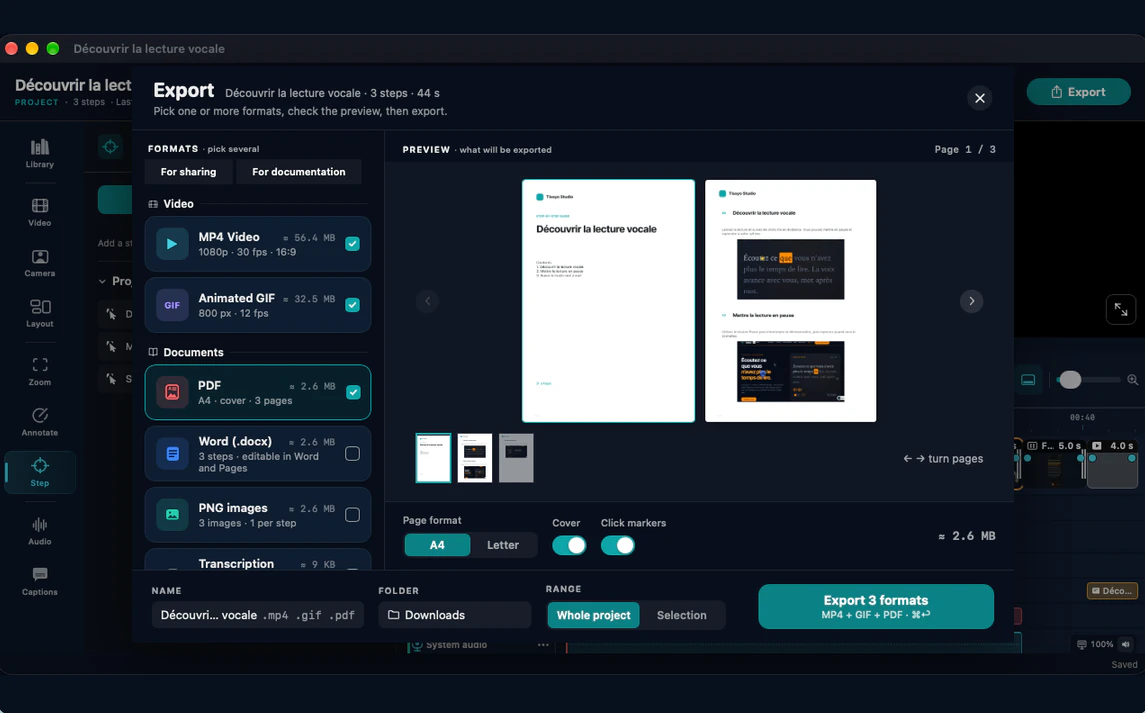
- The videoMP4 at 1080p, in 16:9 or in 9:16 for a phone.
- The guideOne page per step: screenshot, instruction and note. PDF, Word or PNG images.
- The gesture on a loopAn animated GIF for a single gesture, to drop in a message or a job aid.
- The written recordThe transcript of your voice, as Word, Markdown or plain text.
How it works
From the spreadsheet to the guide, in three moves.
 1RecordPick the spreadsheet window, turn the microphone on and explain as you go. ⌃⌥P pauses and ⌃⌥S stops (Mac); Alt+Shift+P and Alt+Shift+S on Windows.
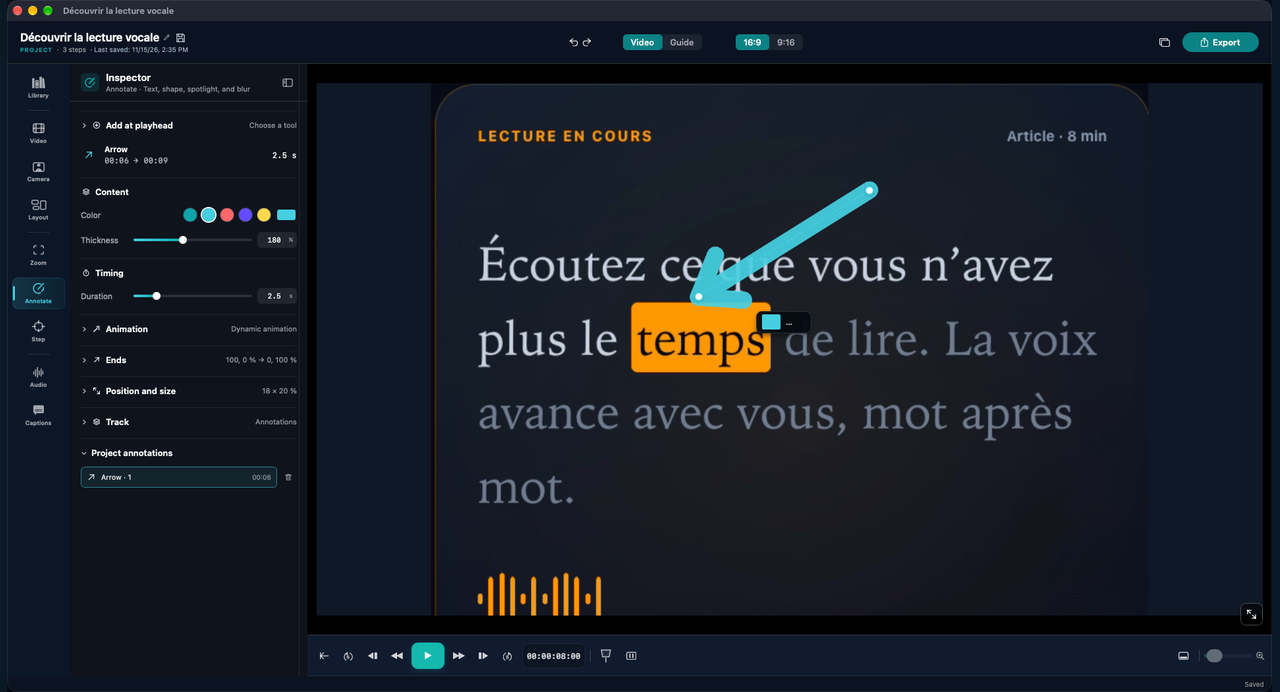
- 2Guide the eyeStudio adds a step at every click. Add a zoom on the Insert menu, an arrow to the field to drag and a blur over customer names.
- 3ShareEvery step becomes a guide page with its screenshot and instruction. Export the video, the guide or a GIF.


Updates
The software changed? Fix the step, not the whole tutorial.
The Studio project stays editable. Cut the part that is now wrong, record the new gesture, reword the instruction, then export again: your learners get up-to-date files.
Studio runs on Mac (macOS 15 or later) and Windows (10 version 2004 or later, or 11). Only the guide summary requires a Mac with Apple Intelligence.

Frequently asked questions
How do I make a software training video?
What do learners get besides the video?
How do I update a tutorial when the software changes?
Are captions generated automatically?
What do I need to run Studio?
Keep going
Explore other ways to use Studio
Turn recurring tasks into process documentation with a reference video and a written SOP your team can follow.
Edit a landscape walkthrough for YouTube and reframe it vertically for short-form videos.
Capture the right take, trim your shots and annotate what matters before moving to the rest of the edit.
Show your app in use with a screen recording, titles and annotations. On Mac, stage the demo in a 3D iPhone or iPad mockup.